
INPUT_IMAGE: use the provided image as the only source; do... by @ayush_bhardwaj - soup.video
INPUT_IMAGE: use the provided image as the only source; do not replace or alter composition, objects, or facial identity. TASK: restore, repair, colorize if...
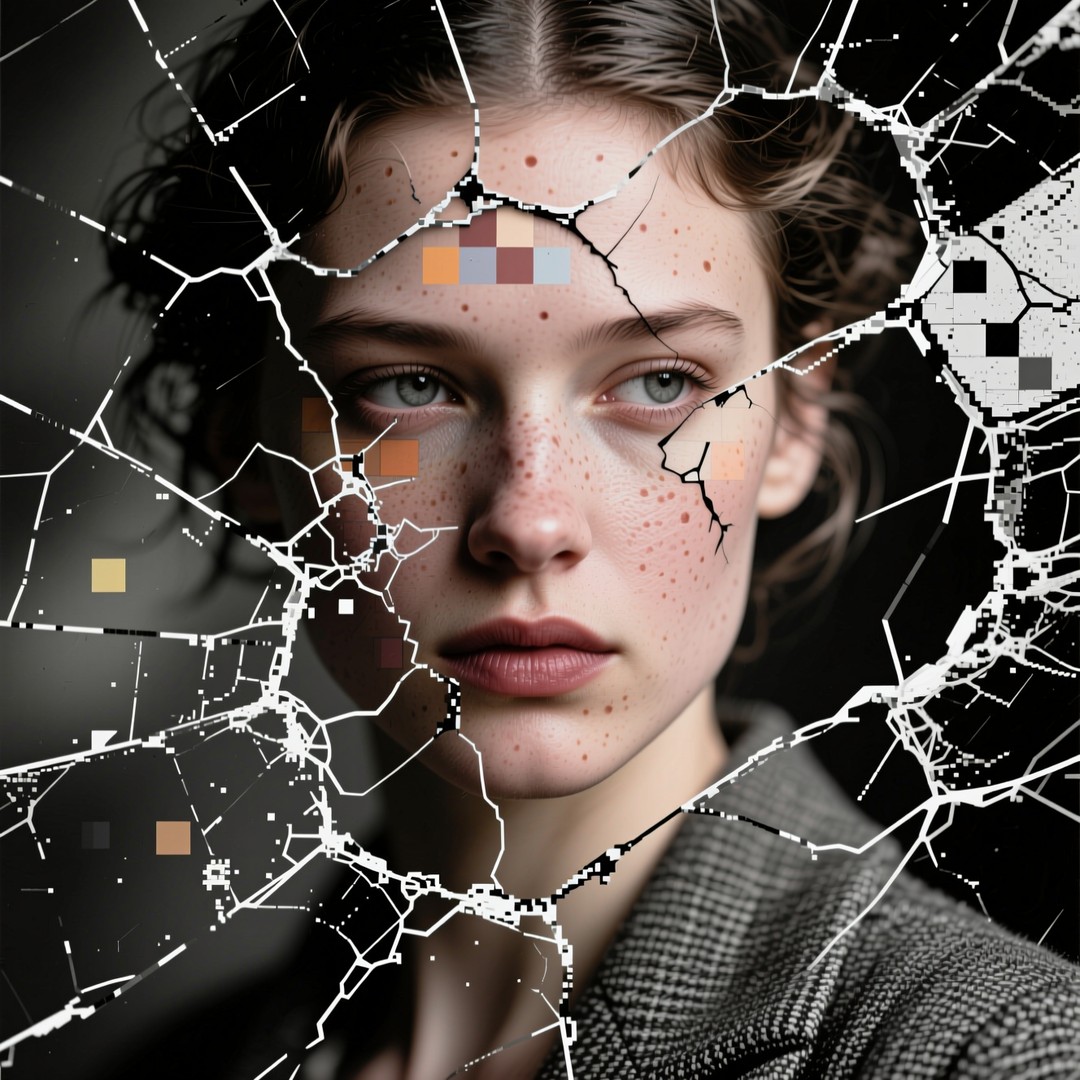

Prompt
INPUT_IMAGE: use the provided image as the only source; do not replace or alter
composition, objects, or facial identity.
TASK: restore, repair, colorize if needed, denoise, and upscale the image to 3840x2160 (4K)
while preserving every original element, pose, expression, and color identity. The model
must repair cracks, scratches, and compression damage; reconstruct missing micro-details
plausibly; enhance perceptual detail and texture; and output a natural, realistic result without
adding new objects or changing identity.
ANALYSIS PHASE:
- Detect image condition: identify cracks, scratches, tears, heavy noise, compression blocks,
blur, and whether image is grayscale or color.
- Determine appropriate restoration pipeline steps and confidence levels for each region.
RESTORATION PHASE:
- Repair physical damage: inpaint cracks and scratches using context-aware reconstruction
that matches surrounding texture and grain.
- Denoise and remove JPEG/blocking artifacts while preserving original grain and texture
characteristics.
- Reconstruct lost micro-details (skin pores, hair strands, fabric weave, surface reflections)
using detail-aware synthesis constrained by surrounding pixels.
- If image is grayscale/black-and-white: perform **context-aware colorization** that infers
natural skin tones, fabric colors, and environmental colors; preserve plausible
historical/scene accuracy and avoid invented logos or text colors.
- If image is already color: **do not change original color values** except to remove color
noise; preserve hue and overall color identity.
- Local contrast and clarity: selectively increase midtone contrast and local clarity on subject
and important details without clipping highlights or crushing shadows.
- Edge and texture sharpening: apply perceptual, artifact-aware sharpening to fine edges;
avoid halos and plastic look.
- Global consistency: maintain original lighting direction and highlight/shadow relationships;
do not relight the scene.
UPSCALE PHASE:
- Detail-aware upscaling to 3840x2160 (4K) with artifact-free reconstruction; synthesize
plausible high-frequency detail only where supported by context.
- Preserve facial feature fidelity and proportions; avoid smoothing or altering identity. Maintain original composition and do not add or remove objects, text, logos, or background
elements.
OUTPUT REQUIREMENTS:
- Output: high-quality 4K image (3840x2160) in PNG or high-quality JPEG.
- Provide optional: a short changelog listing applied local operations (areas inpainted %,
colorized yes/no, denoise strength, upscaling method).
- If colorization performed: include a brief color rationale file describing choices for skin,
clothing, and background.
NEGATIVE INSTRUCTIONS:
- Do not change pose, expression, facial features, or proportions.
- Do not add, remove, or replace objects, logos, or background elements.
- Do not invent or paste recognizable elements (faces, text, objects) not present in the
source.
- Do not apply stylized painting, cartoon, or illustrative effects.
- Do not oversaturate, shift hue globally, or apply aggressive color grading.
- Do not produce visible sharpening halos or plastic skin.
RECOMMENDED PARAMETERS:
- Resolution: 3840x2160
- Denoise strength: 0.20–0.45 (adjust per-image)
- Inpaint/repair aggressiveness: adaptive; start low and increase only where cracks exist
- Upscale method: detail-aware reconstruction / context-preserving
- Sharpening: moderate, artifact-aware
- Steps: 25–45
- Guidance/CFG scale: 6–12
- Face restoration: enabled only if it preserves identity
- Output format: PNG 24-bit or high-quality JPEG
Model
Qwen Image 2.0
Type
Image
Ratio
16:9
Visibility
public
Created
May 15, 2026