
Use the two uploaded images as the only reference: - Image... by @reclutamiento_litoral_central - soup.video
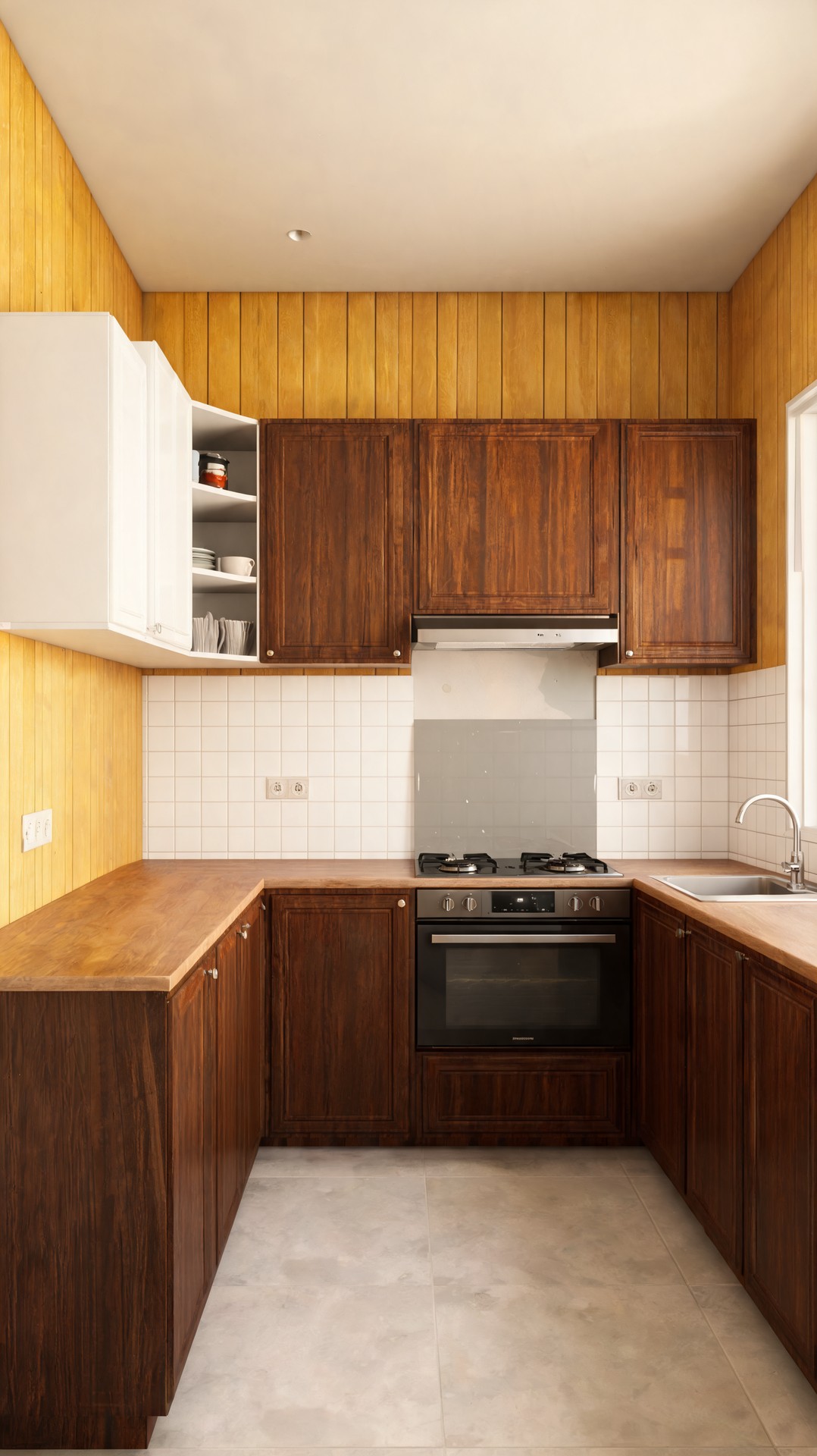
Use the two uploaded images as the only reference: - Image 1 = BEFORE (old kitchen: white cabinets, clutter, yellow wood walls) - Image 2 = AFTER (renovated...

Prompt
Use the two uploaded images as the only reference:
- Image 1 = BEFORE (old kitchen: white cabinets, clutter, yellow wood walls)
- Image 2 = AFTER (renovated kitchen: dark wood cabinets, clean layout, white tiled walls)
Create a realistic construction sequence video showing how the kitchen transforms from Image 1 into Image 2.
Goal: simulate a real remodeling process, not a visual morph.
Start strictly from Image 1 and progressively build until reaching Image 2.
Sequence (strict construction logic):
1. Site clearing:
- remove all objects, appliances, shelves and clutter
- leave empty structure
2. Demolition:
- remove old cabinets
- strip wall покрытия (yellow wood panels)
- expose raw wall surface
3. Base preparation:
- clean and level all surfaces
- prepare walls for tile installation
4. Installation phase:
- install lower cabinet frames first, then panels
- install upper cabinets aligned and leveled
- install wooden countertops in sections
5. Finishes:
- install wall tiles gradually (grid-based placement)
- install sink and faucet
- install stove and glass protection panel
- install hood system
6. Final detailing:
- match exactly the layout, materials and lighting of Image 2
- surfaces clean and polished
Motion:
- fixed camera position (match both images perspective)
- slight forward dolly movement only
- no camera rotation or angle change
Effects:
- piece-by-piece assembly (slide, place, snap)
- subtle construction dust only
- no glow, no cinematic fantasy effects
Style:
- hyper-realistic
- architectural visualization
- physically accurate transitions
Duration: 10–12 seconds
Aspect ratio: 9:16
Critical constraints:
- strictly preserve perspective from the uploaded images
- final frame must match Image 2 as close as possible
- no morphing transitions, only construction logic
Model
Seedream 5.0 Lite
Type
Image
Ratio
9:16
Visibility
public
Created
May 5, 2026